
Price Range
$10.00 - $1,000.00
Products
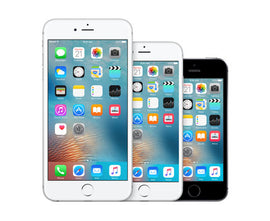
{"id":254548541466,"title":"How to Use the iPhone for Beginners - Online Course","handle":"how-to-use-the-iphone-for-beginners-online-course-1","description":"\u003ch5\u003eDescription\u003c\/h5\u003e\n\u003cp\u003e\u003ci\u003eHow to Use the iPhone for Beginners\u003c\/i\u003e\u003cspan\u003e \u003c\/span\u003eis an interactive video guide created by our IG Development Team, which consists of several iPhone users of all ages that worked to develop a video that teaches the basics on how to use an iPhone. You can follow along while watching and learn how to use your iPhone in 30 minutes. By the time you are finished with it, you will have a complete understanding on how to use your iPhone. You will have no problem surfing the web, downloading apps, watching videos, making phone calls, sending text messages, personalizing your iPhone, and exploring all of your iPhone's features. Don't waste your time struggling to learn the iPhone on your own, you will waste a lot of your precious time and you may negatively alter your iPhone's settings. This guide will help you!\u003c\/p\u003e\n\u003cp\u003eHere is some of what the guide will teach you:\u003c\/p\u003e\n\u003cul\u003e\n\u003cli\u003eSetting up your iPhone with OPTIMAL settings\u003c\/li\u003e\n\u003cli\u003eUsing your fingers to navigate your iPhone\u003c\/li\u003e\n\u003cli\u003eUsing \"Motion Control\"\u003c\/li\u003e\n\u003cli\u003eImporting and creating contacts\u003c\/li\u003e\n\u003cli\u003eMaking \u0026amp; receiving calls, and all you can do with calls\u003c\/li\u003e\n\u003cli\u003eText Messaging - Sending\/receiving, iMessage, Managing conversations\u003c\/li\u003e\n\u003cli\u003eEmail - Setting up, sending\/receiving, multiple emails, management\u003c\/li\u003e\n\u003cli\u003eWeb Browsing - Using Safari, zooming, orientation views, opening links, bookmarks, history, browsing speed\u003c\/li\u003e\n\u003cli\u003ePhoto taking and video recording\u003c\/li\u003e\n\u003cli\u003eEditing and sharing photos, videos, web pages, and files on your iPhone\u003c\/li\u003e\n\u003cli\u003ePersonalization - Setting wallpapers, ringtones, vibration patterns, brightness, do not disturb settings\u003c\/li\u003e\n\u003cli\u003eSecurity - Setting a lock screen password, securing and backing up your contacts and apps, securing your personal information\u003c\/li\u003e\n\u003cli\u003eOrganization - Organizing your home screen, music, photos, and videos\u003c\/li\u003e\n\u003cli\u003eApp Store - Downloading and using apps, including free apps and paid apps.\u003c\/li\u003e\n\u003c\/ul\u003e\n\u003cp\u003eWe now have a guide for each and every iPhone including the new iPhone 16, iPhone 15, and SE. You can select which guide(s) you need after you order.\u003c\/p\u003e","published_at":"2017-09-14T01:36:36-05:00","created_at":"2017-12-30T23:19:29-06:00","vendor":"Infinity Guides","type":"Online Course","tags":["iphone","iphone x","online course"],"price":899,"price_min":899,"price_max":899,"available":true,"price_varies":false,"compare_at_price":null,"compare_at_price_min":0,"compare_at_price_max":0,"compare_at_price_varies":false,"variants":[{"id":3353761546266,"title":"Default Title","option1":"Default Title","option2":null,"option3":null,"sku":"IG023","requires_shipping":false,"taxable":false,"featured_image":null,"available":true,"name":"How to Use the iPhone for Beginners - Online Course","public_title":null,"options":["Default Title"],"price":899,"weight":0,"compare_at_price":null,"inventory_quantity":-36,"inventory_management":null,"inventory_policy":"deny","barcode":null,"requires_selling_plan":false,"selling_plan_allocations":[],"quantity_rule":{"min":1,"max":null,"increment":1}}],"images":["\/\/infinityguides.com\/cdn\/shop\/products\/3-iphones.jpg?v=1514697630"],"featured_image":"\/\/infinityguides.com\/cdn\/shop\/products\/3-iphones.jpg?v=1514697630","options":["Title"],"media":[{"alt":null,"id":461378289795,"position":1,"preview_image":{"aspect_ratio":1.219,"height":397,"width":484,"src":"\/\/infinityguides.com\/cdn\/shop\/products\/3-iphones.jpg?v=1514697630"},"aspect_ratio":1.219,"height":397,"media_type":"image","src":"\/\/infinityguides.com\/cdn\/shop\/products\/3-iphones.jpg?v=1514697630","width":484}],"requires_selling_plan":false,"selling_plan_groups":[],"content":"\u003ch5\u003eDescription\u003c\/h5\u003e\n\u003cp\u003e\u003ci\u003eHow to Use the iPhone for Beginners\u003c\/i\u003e\u003cspan\u003e \u003c\/span\u003eis an interactive video guide created by our IG Development Team, which consists of several iPhone users of all ages that worked to develop a video that teaches the basics on how to use an iPhone. You can follow along while watching and learn how to use your iPhone in 30 minutes. By the time you are finished with it, you will have a complete understanding on how to use your iPhone. You will have no problem surfing the web, downloading apps, watching videos, making phone calls, sending text messages, personalizing your iPhone, and exploring all of your iPhone's features. Don't waste your time struggling to learn the iPhone on your own, you will waste a lot of your precious time and you may negatively alter your iPhone's settings. This guide will help you!\u003c\/p\u003e\n\u003cp\u003eHere is some of what the guide will teach you:\u003c\/p\u003e\n\u003cul\u003e\n\u003cli\u003eSetting up your iPhone with OPTIMAL settings\u003c\/li\u003e\n\u003cli\u003eUsing your fingers to navigate your iPhone\u003c\/li\u003e\n\u003cli\u003eUsing \"Motion Control\"\u003c\/li\u003e\n\u003cli\u003eImporting and creating contacts\u003c\/li\u003e\n\u003cli\u003eMaking \u0026amp; receiving calls, and all you can do with calls\u003c\/li\u003e\n\u003cli\u003eText Messaging - Sending\/receiving, iMessage, Managing conversations\u003c\/li\u003e\n\u003cli\u003eEmail - Setting up, sending\/receiving, multiple emails, management\u003c\/li\u003e\n\u003cli\u003eWeb Browsing - Using Safari, zooming, orientation views, opening links, bookmarks, history, browsing speed\u003c\/li\u003e\n\u003cli\u003ePhoto taking and video recording\u003c\/li\u003e\n\u003cli\u003eEditing and sharing photos, videos, web pages, and files on your iPhone\u003c\/li\u003e\n\u003cli\u003ePersonalization - Setting wallpapers, ringtones, vibration patterns, brightness, do not disturb settings\u003c\/li\u003e\n\u003cli\u003eSecurity - Setting a lock screen password, securing and backing up your contacts and apps, securing your personal information\u003c\/li\u003e\n\u003cli\u003eOrganization - Organizing your home screen, music, photos, and videos\u003c\/li\u003e\n\u003cli\u003eApp Store - Downloading and using apps, including free apps and paid apps.\u003c\/li\u003e\n\u003c\/ul\u003e\n\u003cp\u003eWe now have a guide for each and every iPhone including the new iPhone 16, iPhone 15, and SE. You can select which guide(s) you need after you order.\u003c\/p\u003e"}
You may also like:
How to Use the iPhone for Beginners - Online Course
$8.99
Description How to Use the iPhone for Beginners is an interactive video guide created by our IG Development Team, which consists...
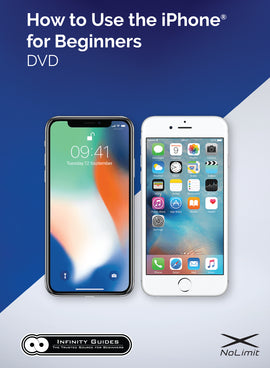
{"id":100273422362,"title":"How to Use the iPhone for Beginners DVD","handle":"how-to-use-the-iphone-for-beginners-dvd","description":"\u003ch5\u003eDescription\u003c\/h5\u003e\n\u003cp\u003e\u003cstrong\u003eOrder our signature iPhone Guide on DVD and become a pro using your iPhone in 30 minutes.\u003c\/strong\u003e\u003c\/p\u003e\n\u003cp\u003eThe DVD has an interactive menu so you can easily browse through different chapters at your own pace. Watch the DVD with any DVD Player.\u003c\/p\u003e\n\u003cp\u003e\u003cstrong\u003eThis DVD covers all iPhone models.\u003c\/strong\u003e\u003c\/p\u003e\n\u003cp\u003eInstructions are included on how to update your iPhone's software to the latest version.\u003c\/p\u003e\n\u003cp\u003eLearn all the basics of using your iPhone with our 30 minute DVD.\u003c\/p\u003e","published_at":"2017-09-13T21:02:21-05:00","created_at":"2017-09-13T21:04:45-05:00","vendor":"Infinity Guides","type":"DVD","tags":["dvd","iphone"],"price":1795,"price_min":1795,"price_max":1795,"available":true,"price_varies":false,"compare_at_price":null,"compare_at_price_min":0,"compare_at_price_max":0,"compare_at_price_varies":false,"variants":[{"id":1265082302490,"title":"Default Title","option1":"Default Title","option2":null,"option3":null,"sku":"IG024","requires_shipping":true,"taxable":false,"featured_image":null,"available":true,"name":"How to Use the iPhone for Beginners DVD","public_title":null,"options":["Default Title"],"price":1795,"weight":113,"compare_at_price":null,"inventory_quantity":-38,"inventory_management":null,"inventory_policy":"deny","barcode":null,"requires_selling_plan":false,"selling_plan_allocations":[],"quantity_rule":{"min":1,"max":null,"increment":1}}],"images":["\/\/infinityguides.com\/cdn\/shop\/products\/iPhone_DVD_box_high_res_10-25-18.jpg?v=1543032100"],"featured_image":"\/\/infinityguides.com\/cdn\/shop\/products\/iPhone_DVD_box_high_res_10-25-18.jpg?v=1543032100","options":["Title"],"media":[{"alt":null,"id":1333341126787,"position":1,"preview_image":{"aspect_ratio":0.733,"height":2175,"width":1595,"src":"\/\/infinityguides.com\/cdn\/shop\/products\/iPhone_DVD_box_high_res_10-25-18.jpg?v=1543032100"},"aspect_ratio":0.733,"height":2175,"media_type":"image","src":"\/\/infinityguides.com\/cdn\/shop\/products\/iPhone_DVD_box_high_res_10-25-18.jpg?v=1543032100","width":1595}],"requires_selling_plan":false,"selling_plan_groups":[],"content":"\u003ch5\u003eDescription\u003c\/h5\u003e\n\u003cp\u003e\u003cstrong\u003eOrder our signature iPhone Guide on DVD and become a pro using your iPhone in 30 minutes.\u003c\/strong\u003e\u003c\/p\u003e\n\u003cp\u003eThe DVD has an interactive menu so you can easily browse through different chapters at your own pace. Watch the DVD with any DVD Player.\u003c\/p\u003e\n\u003cp\u003e\u003cstrong\u003eThis DVD covers all iPhone models.\u003c\/strong\u003e\u003c\/p\u003e\n\u003cp\u003eInstructions are included on how to update your iPhone's software to the latest version.\u003c\/p\u003e\n\u003cp\u003eLearn all the basics of using your iPhone with our 30 minute DVD.\u003c\/p\u003e"}
You may also like:
How to Use the iPhone for Beginners DVD
$17.95
Description Order our signature iPhone Guide on DVD and become a pro using your iPhone in 30 minutes. The DVD...
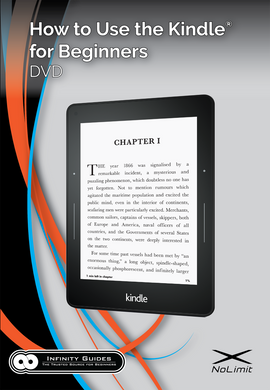
{"id":1387723620407,"title":"How to Use the Kindle for Beginners DVD","handle":"how-to-use-the-kindle-for-beginners-dvd","description":"\u003ch5\u003eDescription\u003c\/h5\u003e\n\u003cp\u003e\u003cstrong\u003eOrder our signature Kindle Guide on DVD and become a pro using your Kindle in 30 minutes.\u003c\/strong\u003e\u003c\/p\u003e\n\u003cp\u003eThe DVD has an interactive menu so you can easily browse through different chapters at your own pace. Watch the DVD with any DVD Player.\u003c\/p\u003e\n\u003cp\u003eThis DVD covers the following Kindle models:\u003c\/p\u003e\n\u003cul\u003e\n\u003cli\u003eKindle Oasis (All Generations)\u003c\/li\u003e\n\u003cli\u003eKindle Paperwhite (All Generations)\u003c\/li\u003e\n\u003cli\u003eKindle Voyage\u003c\/li\u003e\n\u003c\/ul\u003e","published_at":"2017-09-13T21:02:21-05:00","created_at":"2018-08-22T23:53:06-05:00","vendor":"Infinity Guides","type":"DVD","tags":["dvd","kindle"],"price":1495,"price_min":1495,"price_max":1495,"available":true,"price_varies":false,"compare_at_price":null,"compare_at_price_min":0,"compare_at_price_max":0,"compare_at_price_varies":false,"variants":[{"id":12527879946295,"title":"Default Title","option1":"Default Title","option2":null,"option3":null,"sku":"IG043","requires_shipping":true,"taxable":false,"featured_image":null,"available":true,"name":"How to Use the Kindle for Beginners DVD","public_title":null,"options":["Default Title"],"price":1495,"weight":113,"compare_at_price":null,"inventory_quantity":-4,"inventory_management":null,"inventory_policy":"deny","barcode":null,"requires_selling_plan":false,"selling_plan_allocations":[],"quantity_rule":{"min":1,"max":null,"increment":1}}],"images":["\/\/infinityguides.com\/cdn\/shop\/products\/KindleCover_300ppi.png?v=1535000027"],"featured_image":"\/\/infinityguides.com\/cdn\/shop\/products\/KindleCover_300ppi.png?v=1535000027","options":["Title"],"media":[{"alt":null,"id":1046342041731,"position":1,"preview_image":{"aspect_ratio":0.693,"height":2212,"width":1532,"src":"\/\/infinityguides.com\/cdn\/shop\/products\/KindleCover_300ppi.png?v=1535000027"},"aspect_ratio":0.693,"height":2212,"media_type":"image","src":"\/\/infinityguides.com\/cdn\/shop\/products\/KindleCover_300ppi.png?v=1535000027","width":1532}],"requires_selling_plan":false,"selling_plan_groups":[],"content":"\u003ch5\u003eDescription\u003c\/h5\u003e\n\u003cp\u003e\u003cstrong\u003eOrder our signature Kindle Guide on DVD and become a pro using your Kindle in 30 minutes.\u003c\/strong\u003e\u003c\/p\u003e\n\u003cp\u003eThe DVD has an interactive menu so you can easily browse through different chapters at your own pace. Watch the DVD with any DVD Player.\u003c\/p\u003e\n\u003cp\u003eThis DVD covers the following Kindle models:\u003c\/p\u003e\n\u003cul\u003e\n\u003cli\u003eKindle Oasis (All Generations)\u003c\/li\u003e\n\u003cli\u003eKindle Paperwhite (All Generations)\u003c\/li\u003e\n\u003cli\u003eKindle Voyage\u003c\/li\u003e\n\u003c\/ul\u003e"}
You may also like:
How to Use the Kindle for Beginners DVD
$14.95
Description Order our signature Kindle Guide on DVD and become a pro using your Kindle in 30 minutes. The DVD...
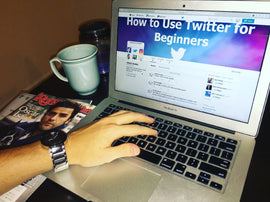
{"id":242080743450,"title":"How to Use Twitter for Beginners - Online Course","handle":"how-to-use-twitter-for-beginners-online-course","description":"\u003ch5\u003eDescription\u003c\/h5\u003e\n\u003cp\u003eOur Complete Twitter course for beginners covers everything you need to know about Twitter to get started using this social media platform. We explain what Twitter is, what exactly you can do on Twitter, and how to do ALL of it. The course is made for beginners, first-time users, and seniors. With this guide you will be able to take part in the vast world of Twitter, and start Tweeting your friends, favorite celebrities, and news hosts. \u003c\/p\u003e\n\u003cp\u003eHere is some of what the course covers:\u003c\/p\u003e\n\u003cul\u003e\n\u003cli\u003eSigning up for Twitter and Getting Started\u003c\/li\u003e\n\u003cli\u003eExplanation of Twitter\u003c\/li\u003e\n\u003cli\u003eBasic Profile Setup\u003c\/li\u003e\n\u003cli\u003eTwitter Layout and Browsing\u003c\/li\u003e\n\u003cli\u003eUsing the Top Navigational Bar and Twitter Feed\u003c\/li\u003e\n\u003cli\u003eBasic Navigation including viewing pictures, posts, and videos\u003c\/li\u003e\n\u003cli\u003eTrending\u003c\/li\u003e\n\u003cli\u003eHashtags: What are they and how to use them\u003c\/li\u003e\n\u003cli\u003eTagging people using the @ symbol\u003c\/li\u003e\n\u003cli\u003eSending Tweets\u003c\/li\u003e\n\u003cli\u003eRetweeting\u003c\/li\u003e\n\u003cli\u003eGaining Followers\u003c\/li\u003e\n\u003cli\u003eFinding People to Follow\u003c\/li\u003e\n\u003cli\u003eFinding your Friends on Twitter\u003c\/li\u003e\n\u003cli\u003eMaking the perfect Profile\u003c\/li\u003e\n\u003cli\u003ePrivacy and Settings\u003c\/li\u003e\n\u003cli\u003eKeyboard Shortcuts\u003c\/li\u003e\n\u003cli\u003eTwitter Moments\u003c\/li\u003e\n\u003cli\u003eSafety and Security\u003c\/li\u003e\n\u003cli\u003eFinding News\u003c\/li\u003e\n\u003cli\u003eThe \"Twittersphere\"\u003c\/li\u003e\n\u003cli\u003eTips, Tricks, and Much More\u003c\/li\u003e\n\u003c\/ul\u003e","published_at":"2017-09-13T21:05:24-05:00","created_at":"2017-12-22T00:05:53-06:00","vendor":"Infinity Guides","type":"Online Course","tags":["twitter"],"price":899,"price_min":899,"price_max":899,"available":true,"price_varies":false,"compare_at_price":null,"compare_at_price_min":0,"compare_at_price_max":0,"compare_at_price_varies":false,"variants":[{"id":3296369508378,"title":"Default Title","option1":"Default Title","option2":null,"option3":null,"sku":"IG032","requires_shipping":false,"taxable":false,"featured_image":null,"available":true,"name":"How to Use Twitter for Beginners - Online Course","public_title":null,"options":["Default Title"],"price":899,"weight":0,"compare_at_price":null,"inventory_quantity":-120,"inventory_management":null,"inventory_policy":"deny","barcode":null,"requires_selling_plan":false,"selling_plan_allocations":[],"quantity_rule":{"min":1,"max":null,"increment":1}}],"images":["\/\/infinityguides.com\/cdn\/shop\/products\/twitter3.jpg?v=1513922831"],"featured_image":"\/\/infinityguides.com\/cdn\/shop\/products\/twitter3.jpg?v=1513922831","options":["Title"],"media":[{"alt":null,"id":461049823363,"position":1,"preview_image":{"aspect_ratio":1.334,"height":1300,"width":1734,"src":"\/\/infinityguides.com\/cdn\/shop\/products\/twitter3.jpg?v=1513922831"},"aspect_ratio":1.334,"height":1300,"media_type":"image","src":"\/\/infinityguides.com\/cdn\/shop\/products\/twitter3.jpg?v=1513922831","width":1734}],"requires_selling_plan":false,"selling_plan_groups":[],"content":"\u003ch5\u003eDescription\u003c\/h5\u003e\n\u003cp\u003eOur Complete Twitter course for beginners covers everything you need to know about Twitter to get started using this social media platform. We explain what Twitter is, what exactly you can do on Twitter, and how to do ALL of it. The course is made for beginners, first-time users, and seniors. With this guide you will be able to take part in the vast world of Twitter, and start Tweeting your friends, favorite celebrities, and news hosts. \u003c\/p\u003e\n\u003cp\u003eHere is some of what the course covers:\u003c\/p\u003e\n\u003cul\u003e\n\u003cli\u003eSigning up for Twitter and Getting Started\u003c\/li\u003e\n\u003cli\u003eExplanation of Twitter\u003c\/li\u003e\n\u003cli\u003eBasic Profile Setup\u003c\/li\u003e\n\u003cli\u003eTwitter Layout and Browsing\u003c\/li\u003e\n\u003cli\u003eUsing the Top Navigational Bar and Twitter Feed\u003c\/li\u003e\n\u003cli\u003eBasic Navigation including viewing pictures, posts, and videos\u003c\/li\u003e\n\u003cli\u003eTrending\u003c\/li\u003e\n\u003cli\u003eHashtags: What are they and how to use them\u003c\/li\u003e\n\u003cli\u003eTagging people using the @ symbol\u003c\/li\u003e\n\u003cli\u003eSending Tweets\u003c\/li\u003e\n\u003cli\u003eRetweeting\u003c\/li\u003e\n\u003cli\u003eGaining Followers\u003c\/li\u003e\n\u003cli\u003eFinding People to Follow\u003c\/li\u003e\n\u003cli\u003eFinding your Friends on Twitter\u003c\/li\u003e\n\u003cli\u003eMaking the perfect Profile\u003c\/li\u003e\n\u003cli\u003ePrivacy and Settings\u003c\/li\u003e\n\u003cli\u003eKeyboard Shortcuts\u003c\/li\u003e\n\u003cli\u003eTwitter Moments\u003c\/li\u003e\n\u003cli\u003eSafety and Security\u003c\/li\u003e\n\u003cli\u003eFinding News\u003c\/li\u003e\n\u003cli\u003eThe \"Twittersphere\"\u003c\/li\u003e\n\u003cli\u003eTips, Tricks, and Much More\u003c\/li\u003e\n\u003c\/ul\u003e"}
You may also like:
How to Use Twitter for Beginners - Online Course
$8.99
Description Our Complete Twitter course for beginners covers everything you need to know about Twitter to get started using this...

{"id":614283247671,"title":"Infinity Guides Premium Subscription","handle":"infinity-guides-premium-subscription","description":"\u003ch1\u003e$5 per month\u003c\/h1\u003e\n\u003ch5\u003eDescription\u003c\/h5\u003e\n\u003cp\u003eBecome an Infinity Guides member today and receive access to ALL Online Courses and special member benefits and discounts. \u003cstrong\u003eOnly $5 per month\u003c\/strong\u003e\u003c\/p\u003e\n\u003cul\u003e\n\u003cli\u003eAccess to over 50 online courses for beginners\u003c\/li\u003e\n\u003cli\u003eOffline course viewing to learn on the go\u003c\/li\u003e\n\u003cli\u003eWatch anytime on your computer, phone, or tablet\u003c\/li\u003e\n\u003cli\u003eAccess to 24\/7 free technical support for all products you own that we cover\u003c\/li\u003e\n\u003cli\u003eSpecial Member Discounts on our physical products such as Books and DVDs\u003c\/li\u003e\n\u003cli\u003e20% off all books and DVD and FREE SHIPPING on all orders\u003c\/li\u003e\n\u003cli\u003eAccess to Infinity Guides Premium Content\u003c\/li\u003e\n\u003c\/ul\u003e\n\u003cp\u003e \u003c\/p\u003e\n\u003cp\u003e\u003cem\u003eFrequently Asked Questions\u003c\/em\u003e\u003c\/p\u003e\n\u003cp\u003e\u003cstrong\u003eDo you have an Online Course for my device?\u003c\/strong\u003e\u003c\/p\u003e\n\u003cp\u003eWe have over 50 online courses for today's popular devices and social media, so chances are we have your device covered. We have an online course for every single model of the iPhone as well as several of the Samsung Galaxy models. We also have courses on just about every social media service. If we do not, as a member you can request an online course that we currently do not offer.\u003c\/p\u003e\n\u003cp\u003e\u003cstrong\u003eHow can I get free technical support for my phone\/tablet\/Facebook?\u003c\/strong\u003e\u003c\/p\u003e\n\u003cp\u003eBy becoming an Infinity Guides member, you receive free 24\/7 technical support on all your products that we cover. In other words, any product we have a guide on, we offer free technical support for it. Once you sign up as member, you will gain access to the Help Portal where you can get your technical support.\u003c\/p\u003e\n\u003cp\u003e\u003cstrong\u003eCan I expense my Infinity Guides membership?\u003c\/strong\u003e\u003c\/p\u003e\n\u003cp\u003eMany companies offer Infinity Guides' memberships to their employees for training purposes. If you are looking to get a subscription for your entire company and its employees, please \u003ca href=\"https:\/\/infinityguides.com\/pages\/contact-us\" title=\"Contact Us - Infinity Guides\"\u003eContact Us\u003c\/a\u003e.\u003c\/p\u003e\n\u003cp\u003e\u003cstrong\u003eHow will you bill me?\u003c\/strong\u003e\u003c\/p\u003e\n\u003cp\u003eYour subscription will be billed at the annual rate of $60, which comes out at $5 per month. Your subscription will automatically renew 1 year from the order date, unless you cancel your subscription before then.\u003c\/p\u003e\n\u003cp\u003e\u003cstrong\u003eCan I change or cancel my plan later on?\u003c\/strong\u003e\u003c\/p\u003e\n\u003cp\u003eYes. You can cancel your plan at anytime and you will lose your membership features at the end of the yearly billing cycle. To cancel your membership, please contact us at support@infinityguides.com\u003c\/p\u003e\n\u003cp\u003e\u003cstrong\u003eWhat is your refund policy?\u003c\/strong\u003e\u003c\/p\u003e\n\u003cp\u003eInfinity Guides does not offer refunds for membership subscriptions except in certain situations, as noted in our\u003ca href=\"https:\/\/infinityguides.com\/pages\/policies\"\u003e\u003cspan\u003e \u003c\/span\u003erefund policy\u003c\/a\u003e.\u003c\/p\u003e\n\u003cp\u003e\u003cstrong\u003eWhen can I start accessing member benefits?\u003c\/strong\u003e\u003c\/p\u003e\n\u003cp\u003eImmediately after signing up for an Infinity Guides membership. After you sign up you will be granted access to the special \u003cstrong\u003ePremium Members Only\u003c\/strong\u003e section of Infinity Guides where you will be able to access all online courses for free, receive your membership discounts, and access to free technical support. You will also be emailed access to this member section. Save that email!\u003c\/p\u003e\n\u003cp\u003e \u003c\/p\u003e","published_at":"2018-04-23T21:46:08-05:00","created_at":"2018-04-23T21:48:45-05:00","vendor":"Infinity Guides","type":"","tags":["premium"],"price":6000,"price_min":6000,"price_max":6000,"available":true,"price_varies":false,"compare_at_price":null,"compare_at_price_min":0,"compare_at_price_max":0,"compare_at_price_varies":false,"variants":[{"id":7660894060599,"title":"Default Title","option1":"Default Title","option2":null,"option3":null,"sku":"","requires_shipping":false,"taxable":false,"featured_image":null,"available":true,"name":"Infinity Guides Premium Subscription","public_title":null,"options":["Default Title"],"price":6000,"weight":0,"compare_at_price":null,"inventory_quantity":1,"inventory_management":null,"inventory_policy":"deny","barcode":null,"requires_selling_plan":false,"selling_plan_allocations":[],"quantity_rule":{"min":1,"max":null,"increment":1}}],"images":["\/\/infinityguides.com\/cdn\/shop\/products\/Infinity_Guides_logo__black_540x_34dc5f1a-47cf-4070-971a-6abe2b0ecfeb.jpg?v=1573630550"],"featured_image":"\/\/infinityguides.com\/cdn\/shop\/products\/Infinity_Guides_logo__black_540x_34dc5f1a-47cf-4070-971a-6abe2b0ecfeb.jpg?v=1573630550","options":["Title"],"media":[{"alt":null,"id":5682616500355,"position":1,"preview_image":{"aspect_ratio":5.173,"height":104,"width":538,"src":"\/\/infinityguides.com\/cdn\/shop\/products\/Infinity_Guides_logo__black_540x_34dc5f1a-47cf-4070-971a-6abe2b0ecfeb.jpg?v=1573630550"},"aspect_ratio":5.173,"height":104,"media_type":"image","src":"\/\/infinityguides.com\/cdn\/shop\/products\/Infinity_Guides_logo__black_540x_34dc5f1a-47cf-4070-971a-6abe2b0ecfeb.jpg?v=1573630550","width":538}],"requires_selling_plan":false,"selling_plan_groups":[],"content":"\u003ch1\u003e$5 per month\u003c\/h1\u003e\n\u003ch5\u003eDescription\u003c\/h5\u003e\n\u003cp\u003eBecome an Infinity Guides member today and receive access to ALL Online Courses and special member benefits and discounts. \u003cstrong\u003eOnly $5 per month\u003c\/strong\u003e\u003c\/p\u003e\n\u003cul\u003e\n\u003cli\u003eAccess to over 50 online courses for beginners\u003c\/li\u003e\n\u003cli\u003eOffline course viewing to learn on the go\u003c\/li\u003e\n\u003cli\u003eWatch anytime on your computer, phone, or tablet\u003c\/li\u003e\n\u003cli\u003eAccess to 24\/7 free technical support for all products you own that we cover\u003c\/li\u003e\n\u003cli\u003eSpecial Member Discounts on our physical products such as Books and DVDs\u003c\/li\u003e\n\u003cli\u003e20% off all books and DVD and FREE SHIPPING on all orders\u003c\/li\u003e\n\u003cli\u003eAccess to Infinity Guides Premium Content\u003c\/li\u003e\n\u003c\/ul\u003e\n\u003cp\u003e \u003c\/p\u003e\n\u003cp\u003e\u003cem\u003eFrequently Asked Questions\u003c\/em\u003e\u003c\/p\u003e\n\u003cp\u003e\u003cstrong\u003eDo you have an Online Course for my device?\u003c\/strong\u003e\u003c\/p\u003e\n\u003cp\u003eWe have over 50 online courses for today's popular devices and social media, so chances are we have your device covered. We have an online course for every single model of the iPhone as well as several of the Samsung Galaxy models. We also have courses on just about every social media service. If we do not, as a member you can request an online course that we currently do not offer.\u003c\/p\u003e\n\u003cp\u003e\u003cstrong\u003eHow can I get free technical support for my phone\/tablet\/Facebook?\u003c\/strong\u003e\u003c\/p\u003e\n\u003cp\u003eBy becoming an Infinity Guides member, you receive free 24\/7 technical support on all your products that we cover. In other words, any product we have a guide on, we offer free technical support for it. Once you sign up as member, you will gain access to the Help Portal where you can get your technical support.\u003c\/p\u003e\n\u003cp\u003e\u003cstrong\u003eCan I expense my Infinity Guides membership?\u003c\/strong\u003e\u003c\/p\u003e\n\u003cp\u003eMany companies offer Infinity Guides' memberships to their employees for training purposes. If you are looking to get a subscription for your entire company and its employees, please \u003ca href=\"https:\/\/infinityguides.com\/pages\/contact-us\" title=\"Contact Us - Infinity Guides\"\u003eContact Us\u003c\/a\u003e.\u003c\/p\u003e\n\u003cp\u003e\u003cstrong\u003eHow will you bill me?\u003c\/strong\u003e\u003c\/p\u003e\n\u003cp\u003eYour subscription will be billed at the annual rate of $60, which comes out at $5 per month. Your subscription will automatically renew 1 year from the order date, unless you cancel your subscription before then.\u003c\/p\u003e\n\u003cp\u003e\u003cstrong\u003eCan I change or cancel my plan later on?\u003c\/strong\u003e\u003c\/p\u003e\n\u003cp\u003eYes. You can cancel your plan at anytime and you will lose your membership features at the end of the yearly billing cycle. To cancel your membership, please contact us at support@infinityguides.com\u003c\/p\u003e\n\u003cp\u003e\u003cstrong\u003eWhat is your refund policy?\u003c\/strong\u003e\u003c\/p\u003e\n\u003cp\u003eInfinity Guides does not offer refunds for membership subscriptions except in certain situations, as noted in our\u003ca href=\"https:\/\/infinityguides.com\/pages\/policies\"\u003e\u003cspan\u003e \u003c\/span\u003erefund policy\u003c\/a\u003e.\u003c\/p\u003e\n\u003cp\u003e\u003cstrong\u003eWhen can I start accessing member benefits?\u003c\/strong\u003e\u003c\/p\u003e\n\u003cp\u003eImmediately after signing up for an Infinity Guides membership. After you sign up you will be granted access to the special \u003cstrong\u003ePremium Members Only\u003c\/strong\u003e section of Infinity Guides where you will be able to access all online courses for free, receive your membership discounts, and access to free technical support. You will also be emailed access to this member section. Save that email!\u003c\/p\u003e\n\u003cp\u003e \u003c\/p\u003e"}
You may also like:
Infinity Guides Premium Subscription
$60.00
$5 per month Description Become an Infinity Guides member today and receive access to ALL Online Courses and special member...

{"id":6735777988767,"title":"Infinity Guides Pro Membership","handle":"infinity-guides-pro-membership","description":"Become an Infinity Guides Pro Member and get full and unlimited access to every single one of our online courses.\n\u003cbr\u003e\u003cbr\u003e\nHere is what you get:\u003cbr\u003e\u003cbr\u003e\n\u003cul\u003e\n\u003cli\u003eUnlimited access to ALL online courses for all devices.\u003c\/li\u003e\n\u003cli\u003eFree shipping on all physical orders including books, manuals, and DVDs.\u003c\/li\u003e\n\u003cli\u003eFREE technical support on all supported devices.\u003c\/li\u003e\n\u003cli\u003eAccess to the Infinity Guides premium newsletter.\u003c\/li\u003e\n\u003cli\u003eExclusive discounts on all physical products including books, manuals, and DVDs.\u003c\/li\u003e\n\u003c\/ul\u003e\n\u003cbr\u003e\u003cbr\u003e\nBecome a Pro Member today and enjoy all the benefits of unlimited learning on Infinity Guides.\n\u003cbr\u003e\u003cbr\u003e\n\u003ch2\u003e\u003cspan style=\"color: #ff2a00;\"\u003e\u003cstrong\u003eOnly $5.99 per month, cancel anytime*\u003c\/strong\u003e\u003c\/span\u003e\u003c\/h2\u003e\n\u003cbr\u003e\u003cbr\u003e\n\u003ch6\u003e\u003cem\u003e*Billed annually at $59.99. Can cancel membership at anytime by contacting us via email or support.\u003c\/em\u003e\u003c\/h6\u003e\n\n\n","published_at":"2021-04-29T15:36:11-05:00","created_at":"2021-04-29T15:21:26-05:00","vendor":"Infinity Guides","type":"Membership","tags":["pro"],"price":5999,"price_min":5999,"price_max":5999,"available":true,"price_varies":false,"compare_at_price":null,"compare_at_price_min":0,"compare_at_price_max":0,"compare_at_price_varies":false,"variants":[{"id":39888492495007,"title":"Default Title","option1":"Default Title","option2":null,"option3":null,"sku":"IG057","requires_shipping":false,"taxable":false,"featured_image":null,"available":true,"name":"Infinity Guides Pro Membership","public_title":null,"options":["Default Title"],"price":5999,"weight":0,"compare_at_price":null,"inventory_quantity":-7,"inventory_management":null,"inventory_policy":"deny","barcode":null,"requires_selling_plan":false,"selling_plan_allocations":[],"quantity_rule":{"min":1,"max":null,"increment":1}}],"images":["\/\/infinityguides.com\/cdn\/shop\/products\/1594135548.original.png?v=1619727725"],"featured_image":"\/\/infinityguides.com\/cdn\/shop\/products\/1594135548.original.png?v=1619727725","options":["Title"],"media":[{"alt":null,"id":21125144379551,"position":1,"preview_image":{"aspect_ratio":1.778,"height":720,"width":1280,"src":"\/\/infinityguides.com\/cdn\/shop\/products\/1594135548.original.png?v=1619727725"},"aspect_ratio":1.778,"height":720,"media_type":"image","src":"\/\/infinityguides.com\/cdn\/shop\/products\/1594135548.original.png?v=1619727725","width":1280}],"requires_selling_plan":false,"selling_plan_groups":[],"content":"Become an Infinity Guides Pro Member and get full and unlimited access to every single one of our online courses.\n\u003cbr\u003e\u003cbr\u003e\nHere is what you get:\u003cbr\u003e\u003cbr\u003e\n\u003cul\u003e\n\u003cli\u003eUnlimited access to ALL online courses for all devices.\u003c\/li\u003e\n\u003cli\u003eFree shipping on all physical orders including books, manuals, and DVDs.\u003c\/li\u003e\n\u003cli\u003eFREE technical support on all supported devices.\u003c\/li\u003e\n\u003cli\u003eAccess to the Infinity Guides premium newsletter.\u003c\/li\u003e\n\u003cli\u003eExclusive discounts on all physical products including books, manuals, and DVDs.\u003c\/li\u003e\n\u003c\/ul\u003e\n\u003cbr\u003e\u003cbr\u003e\nBecome a Pro Member today and enjoy all the benefits of unlimited learning on Infinity Guides.\n\u003cbr\u003e\u003cbr\u003e\n\u003ch2\u003e\u003cspan style=\"color: #ff2a00;\"\u003e\u003cstrong\u003eOnly $5.99 per month, cancel anytime*\u003c\/strong\u003e\u003c\/span\u003e\u003c\/h2\u003e\n\u003cbr\u003e\u003cbr\u003e\n\u003ch6\u003e\u003cem\u003e*Billed annually at $59.99. Can cancel membership at anytime by contacting us via email or support.\u003c\/em\u003e\u003c\/h6\u003e\n\n\n"}
You may also like:
Infinity Guides Pro Membership
$59.99
Become an Infinity Guides Pro Member and get full and unlimited access to every single one of our online courses....

{"id":242081300506,"title":"Instagram Tutorial for Beginners - Online Course","handle":"instagram-tutorial-for-beginners-online-course","description":"\u003ch5\u003eDescription\u003c\/h5\u003e\n\u003cp\u003eInstagram is a fun way to share your life with friends and family through a series of photos and videos on your mobile phone. Experience moments and memories in your friends' lives by following them on Instagram and taking part in one of the fastest growing social media hubs in the world. If you are new to Instagram or just getting started, take our online course, \u003cstrong\u003eInstagram Tutorial for Beginners\u003c\/strong\u003e. With the knowledge you take away from the course, you will be able to follow your friends and family on Instagram, and never miss a moment in their lives. Instagram is the place where people post pictures and videos of their lives, including family photos, vacations, new adventures, baby pics, and more. Instagram is also a great place to promote yourself and meet new friends online.\u003c\/p\u003e\n\u003cp\u003eHere is some of what the video course covers:\u003c\/p\u003e\n\u003cul\u003e\n\u003cli\u003eSigning up for Instagram and Getting Started\u003c\/li\u003e\n\u003cli\u003eDownloading the app on your phone\u003c\/li\u003e\n\u003cli\u003eBasic Profile Setup\u003c\/li\u003e\n\u003cli\u003eInstagram Layout and Browsing\u003c\/li\u003e\n\u003cli\u003eLiking, Commenting, and Sharing Photos and Videos.\u003c\/li\u003e\n\u003cli\u003eBasic Navigation including viewing pictures, posts, and videos\u003c\/li\u003e\n\u003cli\u003eViewing and Creating Instagram Stories\u003c\/li\u003e\n\u003cli\u003eHashtags: What are they and how to use them\u003c\/li\u003e\n\u003cli\u003eTagging people using the @ symbol\u003c\/li\u003e\n\u003cli\u003eCreating Groups\u003c\/li\u003e\n\u003cli\u003eHow Instagram Works\u003c\/li\u003e\n\u003cli\u003eFollowing People on Instagram\u003c\/li\u003e\n\u003cli\u003eFinding People to Follow on Instagram\u003c\/li\u003e\n\u003cli\u003eFinding your Friends on Instagram\u003c\/li\u003e\n\u003cli\u003eMaking the perfect Profile\u003c\/li\u003e\n\u003cli\u003ePrivacy and Settings\u003c\/li\u003e\n\u003cli\u003eSharing a Photo or Video to Instagram\u003c\/li\u003e\n\u003cli\u003eEditing Photos and adding Filters\u003c\/li\u003e\n\u003cli\u003eSafety and Security on Instagram\u003c\/li\u003e\n\u003cli\u003ePromoting Yourself on Instagram\u003c\/li\u003e\n\u003cli\u003eTips, Tricks, and Much More\u003c\/li\u003e\n\u003c\/ul\u003e\n\u003cp\u003e \u003c\/p\u003e","published_at":"2017-09-13T21:05:24-05:00","created_at":"2017-12-22T00:08:23-06:00","vendor":"Infinity Guides","type":"Online Course","tags":["instagram","online course","social media"],"price":899,"price_min":899,"price_max":899,"available":true,"price_varies":false,"compare_at_price":null,"compare_at_price_min":0,"compare_at_price_max":0,"compare_at_price_varies":false,"variants":[{"id":3296370065434,"title":"Default Title","option1":"Default Title","option2":null,"option3":null,"sku":"IG033","requires_shipping":false,"taxable":false,"featured_image":null,"available":true,"name":"Instagram Tutorial for Beginners - Online Course","public_title":null,"options":["Default Title"],"price":899,"weight":0,"compare_at_price":null,"inventory_quantity":-14,"inventory_management":null,"inventory_policy":"deny","barcode":null,"requires_selling_plan":false,"selling_plan_allocations":[],"quantity_rule":{"min":1,"max":null,"increment":1}}],"images":["\/\/infinityguides.com\/cdn\/shop\/products\/instagram2.jpg?v=1513922960"],"featured_image":"\/\/infinityguides.com\/cdn\/shop\/products\/instagram2.jpg?v=1513922960","options":["Title"],"media":[{"alt":null,"id":461049856131,"position":1,"preview_image":{"aspect_ratio":1.909,"height":503,"width":960,"src":"\/\/infinityguides.com\/cdn\/shop\/products\/instagram2.jpg?v=1513922960"},"aspect_ratio":1.909,"height":503,"media_type":"image","src":"\/\/infinityguides.com\/cdn\/shop\/products\/instagram2.jpg?v=1513922960","width":960}],"requires_selling_plan":false,"selling_plan_groups":[],"content":"\u003ch5\u003eDescription\u003c\/h5\u003e\n\u003cp\u003eInstagram is a fun way to share your life with friends and family through a series of photos and videos on your mobile phone. Experience moments and memories in your friends' lives by following them on Instagram and taking part in one of the fastest growing social media hubs in the world. If you are new to Instagram or just getting started, take our online course, \u003cstrong\u003eInstagram Tutorial for Beginners\u003c\/strong\u003e. With the knowledge you take away from the course, you will be able to follow your friends and family on Instagram, and never miss a moment in their lives. Instagram is the place where people post pictures and videos of their lives, including family photos, vacations, new adventures, baby pics, and more. Instagram is also a great place to promote yourself and meet new friends online.\u003c\/p\u003e\n\u003cp\u003eHere is some of what the video course covers:\u003c\/p\u003e\n\u003cul\u003e\n\u003cli\u003eSigning up for Instagram and Getting Started\u003c\/li\u003e\n\u003cli\u003eDownloading the app on your phone\u003c\/li\u003e\n\u003cli\u003eBasic Profile Setup\u003c\/li\u003e\n\u003cli\u003eInstagram Layout and Browsing\u003c\/li\u003e\n\u003cli\u003eLiking, Commenting, and Sharing Photos and Videos.\u003c\/li\u003e\n\u003cli\u003eBasic Navigation including viewing pictures, posts, and videos\u003c\/li\u003e\n\u003cli\u003eViewing and Creating Instagram Stories\u003c\/li\u003e\n\u003cli\u003eHashtags: What are they and how to use them\u003c\/li\u003e\n\u003cli\u003eTagging people using the @ symbol\u003c\/li\u003e\n\u003cli\u003eCreating Groups\u003c\/li\u003e\n\u003cli\u003eHow Instagram Works\u003c\/li\u003e\n\u003cli\u003eFollowing People on Instagram\u003c\/li\u003e\n\u003cli\u003eFinding People to Follow on Instagram\u003c\/li\u003e\n\u003cli\u003eFinding your Friends on Instagram\u003c\/li\u003e\n\u003cli\u003eMaking the perfect Profile\u003c\/li\u003e\n\u003cli\u003ePrivacy and Settings\u003c\/li\u003e\n\u003cli\u003eSharing a Photo or Video to Instagram\u003c\/li\u003e\n\u003cli\u003eEditing Photos and adding Filters\u003c\/li\u003e\n\u003cli\u003eSafety and Security on Instagram\u003c\/li\u003e\n\u003cli\u003ePromoting Yourself on Instagram\u003c\/li\u003e\n\u003cli\u003eTips, Tricks, and Much More\u003c\/li\u003e\n\u003c\/ul\u003e\n\u003cp\u003e \u003c\/p\u003e"}
You may also like:
Instagram Tutorial for Beginners - Online Course
$8.99
Description Instagram is a fun way to share your life with friends and family through a series of photos and...
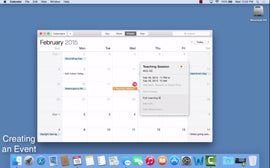
{"id":242086608922,"title":"Intermediate Guide to the Mac Computer - Online Course","handle":"intermediate-guide-to-the-mac-computer-online-course","description":"\u003ch5\u003eDescription\u003c\/h5\u003e\n\u003cp\u003eThe \u003ci\u003eIntermediate Guide to the Mac Computer\u003c\/i\u003e is the second level tutorial of our Mac courses following \u003ci\u003eHow to Use the Mac for Beginners\u003c\/i\u003e. The latter video is recommended for new Mac users and the intermediate guide is recommended as the next step. You can watch the video right from your web browser and follow along if you'd like. You can also watch the video from your iPhone, iPad, or tablet.\u003c\/p\u003e\n\u003cp\u003eThis Intermediate Course focuses on using the Mac's native applications (apps).\u003c\/p\u003e\n\u003cp\u003eWhat's covered:\u003c\/p\u003e\n\u003cul\u003e\n\u003cli\u003eSafari\u003c\/li\u003e\n\u003cli\u003eMail (E-Mail)\u003c\/li\u003e\n\u003cli\u003eCalendar\u003c\/li\u003e\n\u003cli\u003eReminders\u003c\/li\u003e\n\u003cli\u003eNotes\u003c\/li\u003e\n\u003cli\u003eMessages (Texting from your Mac and iMessage)\u003c\/li\u003e\n\u003cli\u003eFaceTime\u003c\/li\u003e\n\u003cli\u003eIntegrating iPhone with Mac for Phone Calls and Texts\u003c\/li\u003e\n\u003cli\u003eOverview of iTunes and App Store\u003c\/li\u003e\n\u003cli\u003eIntroduction to KeyNote, Pages, and Numbers\u003c\/li\u003e\n\u003cli\u003eIntermediate Settings\u003c\/li\u003e\n\u003cli\u003eAdding network and hard-wired printers\u003c\/li\u003e\n\u003cli\u003eManaging User Accounts\u003c\/li\u003e\n\u003cli\u003eTime Machine\u003c\/li\u003e\n\u003cli\u003eIn-Depth Overview of all the above apps and more!\u003c\/li\u003e\n\u003c\/ul\u003e\n\u003cp\u003e \u003c\/p\u003e\n\u003cp\u003e\u003cstrong\u003e\u003cspan\u003eMaster your Mac computer today.\u003c\/span\u003e\u003c\/strong\u003e\u003c\/p\u003e\n","published_at":"2017-09-14T01:36:36-05:00","created_at":"2017-12-22T00:22:43-06:00","vendor":"Infinity Guides","type":"Online Course","tags":["computers","mac","online course"],"price":899,"price_min":899,"price_max":899,"available":true,"price_varies":false,"compare_at_price":999,"compare_at_price_min":999,"compare_at_price_max":999,"compare_at_price_varies":false,"variants":[{"id":3296449593370,"title":"Default Title","option1":"Default Title","option2":null,"option3":null,"sku":"IG034","requires_shipping":false,"taxable":false,"featured_image":null,"available":true,"name":"Intermediate Guide to the Mac Computer - Online Course","public_title":null,"options":["Default Title"],"price":899,"weight":0,"compare_at_price":999,"inventory_quantity":-10,"inventory_management":null,"inventory_policy":"deny","barcode":null,"requires_selling_plan":false,"selling_plan_allocations":[],"quantity_rule":{"min":1,"max":null,"increment":1}}],"images":["\/\/infinityguides.com\/cdn\/shop\/products\/imac-guide-page.jpg?v=1513924418"],"featured_image":"\/\/infinityguides.com\/cdn\/shop\/products\/imac-guide-page.jpg?v=1513924418","options":["Title"],"media":[{"alt":null,"id":461050380419,"position":1,"preview_image":{"aspect_ratio":1.608,"height":921,"width":1481,"src":"\/\/infinityguides.com\/cdn\/shop\/products\/imac-guide-page.jpg?v=1513924418"},"aspect_ratio":1.608,"height":921,"media_type":"image","src":"\/\/infinityguides.com\/cdn\/shop\/products\/imac-guide-page.jpg?v=1513924418","width":1481}],"requires_selling_plan":false,"selling_plan_groups":[],"content":"\u003ch5\u003eDescription\u003c\/h5\u003e\n\u003cp\u003eThe \u003ci\u003eIntermediate Guide to the Mac Computer\u003c\/i\u003e is the second level tutorial of our Mac courses following \u003ci\u003eHow to Use the Mac for Beginners\u003c\/i\u003e. The latter video is recommended for new Mac users and the intermediate guide is recommended as the next step. You can watch the video right from your web browser and follow along if you'd like. You can also watch the video from your iPhone, iPad, or tablet.\u003c\/p\u003e\n\u003cp\u003eThis Intermediate Course focuses on using the Mac's native applications (apps).\u003c\/p\u003e\n\u003cp\u003eWhat's covered:\u003c\/p\u003e\n\u003cul\u003e\n\u003cli\u003eSafari\u003c\/li\u003e\n\u003cli\u003eMail (E-Mail)\u003c\/li\u003e\n\u003cli\u003eCalendar\u003c\/li\u003e\n\u003cli\u003eReminders\u003c\/li\u003e\n\u003cli\u003eNotes\u003c\/li\u003e\n\u003cli\u003eMessages (Texting from your Mac and iMessage)\u003c\/li\u003e\n\u003cli\u003eFaceTime\u003c\/li\u003e\n\u003cli\u003eIntegrating iPhone with Mac for Phone Calls and Texts\u003c\/li\u003e\n\u003cli\u003eOverview of iTunes and App Store\u003c\/li\u003e\n\u003cli\u003eIntroduction to KeyNote, Pages, and Numbers\u003c\/li\u003e\n\u003cli\u003eIntermediate Settings\u003c\/li\u003e\n\u003cli\u003eAdding network and hard-wired printers\u003c\/li\u003e\n\u003cli\u003eManaging User Accounts\u003c\/li\u003e\n\u003cli\u003eTime Machine\u003c\/li\u003e\n\u003cli\u003eIn-Depth Overview of all the above apps and more!\u003c\/li\u003e\n\u003c\/ul\u003e\n\u003cp\u003e \u003c\/p\u003e\n\u003cp\u003e\u003cstrong\u003e\u003cspan\u003eMaster your Mac computer today.\u003c\/span\u003e\u003c\/strong\u003e\u003c\/p\u003e\n"}
You may also like:
Intermediate Guide to the Mac Computer - Online Course
$9.99
$8.99
Description The Intermediate Guide to the Mac Computer is the second level tutorial of our Mac courses following How to Use...

{"id":4369577836675,"title":"iPad Manual for Beginners","handle":"copy-of-ipad-manual-for-beginners","description":"\u003ch3\u003eDescription:\u003c\/h3\u003e\n\u003chr\u003e\n\u003cp\u003e\u003ci\u003eThe iPad Manual for Beginners\u003c\/i\u003e\u003cspan\u003e \u003c\/span\u003eis the complete guide to using the iPad. This book was made with the beginner in mind, and is great for seniors and first-time users. The book is suitable for ALL models, including the new Pro, Air, mini, and 10th Generation iPads. This book teaches you the building blocks of using the iPad. It starts out by going over the physical properties of the device, followed by defining some key terms that every user needs to know. Then the book goes into instruction mode, teaching you all the basics including: creating an Apple ID (which is extremely important), creating and importing a contact list, surfing the internet, setting up your e-mail, using all the apps, personalizing your iPad, securing your iPad, downloading apps and using the App Store, text messaging, phone calls, tips and tricks, and much more.\u003c\/p\u003e\n\u003cp\u003eThis will be the only guide for your iPad that you will ever need. You can read it in one sitting, and keep it handy as a reference manual. By the time you are finished with it, you will have a complete intuitive understanding of the iPad. You will never have to struggle with your iPad again and you will be able to use all of its native apps confidently.\u003c\/p\u003e\n\u003ch3\u003eHighlights of the book:\u003c\/h3\u003e\n\u003chr\u003e\n\u003cul class=\"style1\"\u003e\n\u003cli\u003eClear, step by step instructions on how to do the most common and useful tasks on the iPad\u003c\/li\u003e\n\u003cli\u003eHigh quality illustrations of exactly what your iPad's screen will look like for an easy learning experience.\u003c\/li\u003e\n\u003cli\u003eTips \u0026amp; Tricks to help you get the most benefit out of using your iPad\u003c\/li\u003e\n\u003cli\u003eA detailed Table of Contents so you can use the book as a reference manual as needed\u003c\/li\u003e\n\u003cli\u003eAppendices offering recommendations on apps, shortcuts to quick iPad functions, and Siri examples.\u003c\/li\u003e\n\u003cli\u003eVery detailed instructions on how to setup your extremely important Apple Account, and how to use your Apple Account effectively\u003c\/li\u003e\n\u003c\/ul\u003e\n\u003cp\u003eThe book covers all the basics and more, from a beginner's perspective, including:\u003c\/p\u003e\n\u003cul class=\"style1\"\u003e\n\u003cli\u003eSetting up your iPad with Optimal Settings\u003c\/li\u003e\n\u003cli\u003eCreating and using your Apple Account\u003c\/li\u003e\n\u003cli\u003ePhysical Layout of iPad\u003c\/li\u003e\n\u003cli\u003eCreating and Importing Contact List\u003c\/li\u003e\n\u003cli\u003eNavigating your iPad\u003c\/li\u003e\n\u003cli\u003eConnecting to Wi-Fi and Internet\u003c\/li\u003e\n\u003cli\u003eUsing E-mail\u003c\/li\u003e\n\u003cli\u003eBrowsing the Web\u003c\/li\u003e\n\u003cli\u003eUsing your Camera\u003c\/li\u003e\n\u003cli\u003ePhotos and Videos\u003c\/li\u003e\n\u003cli\u003eSecurity on your iPad\u003c\/li\u003e\n\u003cli\u003ePersonalizing your iPad\u003c\/li\u003e\n\u003cli\u003eOrganizing your iPad\u003c\/li\u003e\n\u003cli\u003eUsing and Downloading Apps\u003c\/li\u003e\n\u003cli\u003eUsing the Calendar, Notes, iBooks, and other iPad Apps\u003c\/li\u003e\n\u003cli\u003eiPad Notifications\u003c\/li\u003e\n\u003cli\u003eSiri\u003c\/li\u003e\n\u003cli\u003eText Messaging on your iPad\u003c\/li\u003e\n\u003cli\u003eMaking and Receiving Phone Calls on your iPad\u003c\/li\u003e\n\u003cli\u003eUsing FaceTime (Video Calls)\u003c\/li\u003e\n\u003cli\u003eBacking up your iPad's Data\u003c\/li\u003e\n\u003cli\u003eUpdating your iPad's Software\u003c\/li\u003e\n\u003cli\u003eTips, Tricks, and much more\u003c\/li\u003e\n\u003c\/ul\u003e","published_at":"2019-11-22T21:05:54-06:00","created_at":"2019-11-22T21:05:54-06:00","vendor":"Infinity Guides","type":"Books","tags":["books","ipad"],"price":2499,"price_min":2499,"price_max":2499,"available":true,"price_varies":false,"compare_at_price":null,"compare_at_price_min":0,"compare_at_price_max":0,"compare_at_price_varies":false,"variants":[{"id":31244399345795,"title":"Default Title","option1":"Default Title","option2":null,"option3":null,"sku":"IG058","requires_shipping":true,"taxable":false,"featured_image":null,"available":true,"name":"iPad Manual for Beginners","public_title":null,"options":["Default Title"],"price":2499,"weight":425,"compare_at_price":null,"inventory_quantity":-96,"inventory_management":null,"inventory_policy":"deny","barcode":"9781734260441","requires_selling_plan":false,"selling_plan_allocations":[],"quantity_rule":{"min":1,"max":null,"increment":1}}],"images":["\/\/infinityguides.com\/cdn\/shop\/files\/Front_Cover_iPad_6th_Edition.jpg?v=1768610322"],"featured_image":"\/\/infinityguides.com\/cdn\/shop\/files\/Front_Cover_iPad_6th_Edition.jpg?v=1768610322","options":["Title"],"media":[{"alt":null,"id":54071774380191,"position":1,"preview_image":{"aspect_ratio":0.769,"height":3303,"width":2541,"src":"\/\/infinityguides.com\/cdn\/shop\/files\/Front_Cover_iPad_6th_Edition.jpg?v=1768610322"},"aspect_ratio":0.769,"height":3303,"media_type":"image","src":"\/\/infinityguides.com\/cdn\/shop\/files\/Front_Cover_iPad_6th_Edition.jpg?v=1768610322","width":2541}],"requires_selling_plan":false,"selling_plan_groups":[],"content":"\u003ch3\u003eDescription:\u003c\/h3\u003e\n\u003chr\u003e\n\u003cp\u003e\u003ci\u003eThe iPad Manual for Beginners\u003c\/i\u003e\u003cspan\u003e \u003c\/span\u003eis the complete guide to using the iPad. This book was made with the beginner in mind, and is great for seniors and first-time users. The book is suitable for ALL models, including the new Pro, Air, mini, and 10th Generation iPads. This book teaches you the building blocks of using the iPad. It starts out by going over the physical properties of the device, followed by defining some key terms that every user needs to know. Then the book goes into instruction mode, teaching you all the basics including: creating an Apple ID (which is extremely important), creating and importing a contact list, surfing the internet, setting up your e-mail, using all the apps, personalizing your iPad, securing your iPad, downloading apps and using the App Store, text messaging, phone calls, tips and tricks, and much more.\u003c\/p\u003e\n\u003cp\u003eThis will be the only guide for your iPad that you will ever need. You can read it in one sitting, and keep it handy as a reference manual. By the time you are finished with it, you will have a complete intuitive understanding of the iPad. You will never have to struggle with your iPad again and you will be able to use all of its native apps confidently.\u003c\/p\u003e\n\u003ch3\u003eHighlights of the book:\u003c\/h3\u003e\n\u003chr\u003e\n\u003cul class=\"style1\"\u003e\n\u003cli\u003eClear, step by step instructions on how to do the most common and useful tasks on the iPad\u003c\/li\u003e\n\u003cli\u003eHigh quality illustrations of exactly what your iPad's screen will look like for an easy learning experience.\u003c\/li\u003e\n\u003cli\u003eTips \u0026amp; Tricks to help you get the most benefit out of using your iPad\u003c\/li\u003e\n\u003cli\u003eA detailed Table of Contents so you can use the book as a reference manual as needed\u003c\/li\u003e\n\u003cli\u003eAppendices offering recommendations on apps, shortcuts to quick iPad functions, and Siri examples.\u003c\/li\u003e\n\u003cli\u003eVery detailed instructions on how to setup your extremely important Apple Account, and how to use your Apple Account effectively\u003c\/li\u003e\n\u003c\/ul\u003e\n\u003cp\u003eThe book covers all the basics and more, from a beginner's perspective, including:\u003c\/p\u003e\n\u003cul class=\"style1\"\u003e\n\u003cli\u003eSetting up your iPad with Optimal Settings\u003c\/li\u003e\n\u003cli\u003eCreating and using your Apple Account\u003c\/li\u003e\n\u003cli\u003ePhysical Layout of iPad\u003c\/li\u003e\n\u003cli\u003eCreating and Importing Contact List\u003c\/li\u003e\n\u003cli\u003eNavigating your iPad\u003c\/li\u003e\n\u003cli\u003eConnecting to Wi-Fi and Internet\u003c\/li\u003e\n\u003cli\u003eUsing E-mail\u003c\/li\u003e\n\u003cli\u003eBrowsing the Web\u003c\/li\u003e\n\u003cli\u003eUsing your Camera\u003c\/li\u003e\n\u003cli\u003ePhotos and Videos\u003c\/li\u003e\n\u003cli\u003eSecurity on your iPad\u003c\/li\u003e\n\u003cli\u003ePersonalizing your iPad\u003c\/li\u003e\n\u003cli\u003eOrganizing your iPad\u003c\/li\u003e\n\u003cli\u003eUsing and Downloading Apps\u003c\/li\u003e\n\u003cli\u003eUsing the Calendar, Notes, iBooks, and other iPad Apps\u003c\/li\u003e\n\u003cli\u003eiPad Notifications\u003c\/li\u003e\n\u003cli\u003eSiri\u003c\/li\u003e\n\u003cli\u003eText Messaging on your iPad\u003c\/li\u003e\n\u003cli\u003eMaking and Receiving Phone Calls on your iPad\u003c\/li\u003e\n\u003cli\u003eUsing FaceTime (Video Calls)\u003c\/li\u003e\n\u003cli\u003eBacking up your iPad's Data\u003c\/li\u003e\n\u003cli\u003eUpdating your iPad's Software\u003c\/li\u003e\n\u003cli\u003eTips, Tricks, and much more\u003c\/li\u003e\n\u003c\/ul\u003e"}
You may also like:
iPad Manual for Beginners
$24.99
Description: The iPad Manual for Beginners is the complete guide to using the iPad. This book was made with the beginner...

{"id":6652106801311,"title":"iPhone Manual for Beginners","handle":"iphone-manual-for-beginners-2","description":"\u003ch3\u003eDescription:\u003c\/h3\u003e\n\u003chr\u003e\n\u003cp\u003eThe\u003cspan\u003e \u003c\/span\u003e\u003ci\u003eiPhone Manual for Beginners\u003c\/i\u003e\u003cspan\u003e \u003c\/span\u003eis the complete guide to using the iPhone. This book was made with the beginner in mind, and is great for seniors and first-time iPhone users. The book is suitable ALL iPhones models, including: 16, 16 Plus, 16 Pro, 16 Pro Max, 16e, SE, 15, 15 Plus, 15 Pro, 14, 14 Pro, 14 Pro Max, 14 Plus, 13, 13 Pro, 13 Pro Max, 13 Mini, 12, 12 Pro, 12 Pro Max, 12 Mini, 11, 11 Pro, 11 Pro Max, Xs, Xs MAX, Xr, X, 8, 8 Plus, 7, and all other previous models. This book teaches you the building blocks of using the iPhone. It starts out by going over the physical properties of the device, followed by defining some key terms that every iPhone user needs to know. Then the book goes into instruction mode, teaching you all the basics including: creating an Apple ID (which is extremely important), creating a contact list, sending and receiving text messages, placing and answering phone calls, surfing the internet, setting up your e-mail, personalizing your iPhone, securing your iPhone, downloading apps and using the App Store, tips and tricks, and much more.\u003c\/p\u003e\n\u003cp\u003eThis will be the only guide for your iPhone that you will ever need. You can read it in one sitting, and keep it handy as a reference manual. By the time you are finished with it, you will have a complete intuitive understanding of the iPhone. You will never have to struggle with your iPhone again, and you can start feeling confident using it.\u003c\/p\u003e\n\u003ch3\u003eHighlights of the book:\u003c\/h3\u003e\n\u003chr\u003e\n\u003cul class=\"style1\"\u003e\n\u003cli\u003eClear, step by step instructions on how to do the most common and useful tasks on the iPhone\u003c\/li\u003e\n\u003cli\u003eHigh quality, full-color illustrations of exactly what your iPhone's screen will look like for an easy learning experience.\u003c\/li\u003e\n\u003cli\u003eTips \u0026amp; Tricks to help you get the most benefit out of using your iPhone\u003c\/li\u003e\n\u003cli\u003eA detailed Table of Contents so you can use the book as a reference manual as needed\u003c\/li\u003e\n\u003cli\u003eAppendices offering recommendations on apps, shortcuts to quick iPhone functions, and Siri examples.\u003c\/li\u003e\n\u003cli\u003eVery detailed instructions on how to setup your extremely important Apple ID, and how to use your Apple Account effectively\u003c\/li\u003e\n\u003c\/ul\u003e\n\u003cp\u003eThe book covers all the basics and more, from a beginner's perspective, including:\u003c\/p\u003e\n\u003cul class=\"style1\"\u003e\n\u003cli\u003eSetting up your iPhone\u003c\/li\u003e\n\u003cli\u003eCreating your Apple Account\u003c\/li\u003e\n\u003cli\u003ePhysical Layout of iPhone\u003c\/li\u003e\n\u003cli\u003eMaking and Receiving Calls\u003c\/li\u003e\n\u003cli\u003eiPhone Contact List\u003c\/li\u003e\n\u003cli\u003eText Messaging\u003c\/li\u003e\n\u003cli\u003eNavigating your iPhone\u003c\/li\u003e\n\u003cli\u003eConnecting to Wi-Fi and Internet\u003c\/li\u003e\n\u003cli\u003eSetting up Voicemail\u003c\/li\u003e\n\u003cli\u003eUsing E-mail\u003c\/li\u003e\n\u003cli\u003eBrowsing the Web\u003c\/li\u003e\n\u003cli\u003eUsing your Camera\u003c\/li\u003e\n\u003cli\u003ePhotos and Videos\u003c\/li\u003e\n\u003cli\u003eSecurity on your iPhone\u003c\/li\u003e\n\u003cli\u003ePersonalizing your iPhone\u003c\/li\u003e\n\u003cli\u003eOrganizing your iPhone\u003c\/li\u003e\n\u003cli\u003eUsing and Downloading Apps\u003c\/li\u003e\n\u003cli\u003eiPhone Notifications\u003c\/li\u003e\n\u003cli\u003eSiri\u003c\/li\u003e\n\u003cli\u003eBacking up your iPhone Data\u003c\/li\u003e\n\u003cli\u003eUpdating your iPhone's Software\u003c\/li\u003e\n\u003cli\u003eTips, Tricks, and much more\u003c\/li\u003e\n\u003c\/ul\u003e","published_at":"2021-04-05T16:44:33-05:00","created_at":"2021-04-05T16:42:39-05:00","vendor":"Joe Malacina (Infinity Guides)","type":"Books","tags":["books","iphone"],"price":2495,"price_min":2495,"price_max":2495,"available":true,"price_varies":false,"compare_at_price":2995,"compare_at_price_min":2995,"compare_at_price_max":2995,"compare_at_price_varies":false,"variants":[{"id":39632698114207,"title":"Default Title","option1":"Default Title","option2":null,"option3":null,"sku":"IG065","requires_shipping":true,"taxable":false,"featured_image":null,"available":true,"name":"iPhone Manual for Beginners","public_title":null,"options":["Default Title"],"price":2495,"weight":397,"compare_at_price":2995,"inventory_quantity":-79,"inventory_management":null,"inventory_policy":"deny","barcode":"9798985839890","requires_selling_plan":false,"selling_plan_allocations":[],"quantity_rule":{"min":1,"max":null,"increment":1}}],"images":["\/\/infinityguides.com\/cdn\/shop\/files\/iPhoneBook8EFrontCover_957eec6e-5a7c-47f5-ab49-a0b97cc294a8.jpg?v=1768610236"],"featured_image":"\/\/infinityguides.com\/cdn\/shop\/files\/iPhoneBook8EFrontCover_957eec6e-5a7c-47f5-ab49-a0b97cc294a8.jpg?v=1768610236","options":["Title"],"media":[{"alt":null,"id":54071774281887,"position":1,"preview_image":{"aspect_ratio":0.772,"height":2799,"width":2160,"src":"\/\/infinityguides.com\/cdn\/shop\/files\/iPhoneBook8EFrontCover_957eec6e-5a7c-47f5-ab49-a0b97cc294a8.jpg?v=1768610236"},"aspect_ratio":0.772,"height":2799,"media_type":"image","src":"\/\/infinityguides.com\/cdn\/shop\/files\/iPhoneBook8EFrontCover_957eec6e-5a7c-47f5-ab49-a0b97cc294a8.jpg?v=1768610236","width":2160}],"requires_selling_plan":false,"selling_plan_groups":[],"content":"\u003ch3\u003eDescription:\u003c\/h3\u003e\n\u003chr\u003e\n\u003cp\u003eThe\u003cspan\u003e \u003c\/span\u003e\u003ci\u003eiPhone Manual for Beginners\u003c\/i\u003e\u003cspan\u003e \u003c\/span\u003eis the complete guide to using the iPhone. This book was made with the beginner in mind, and is great for seniors and first-time iPhone users. The book is suitable ALL iPhones models, including: 16, 16 Plus, 16 Pro, 16 Pro Max, 16e, SE, 15, 15 Plus, 15 Pro, 14, 14 Pro, 14 Pro Max, 14 Plus, 13, 13 Pro, 13 Pro Max, 13 Mini, 12, 12 Pro, 12 Pro Max, 12 Mini, 11, 11 Pro, 11 Pro Max, Xs, Xs MAX, Xr, X, 8, 8 Plus, 7, and all other previous models. This book teaches you the building blocks of using the iPhone. It starts out by going over the physical properties of the device, followed by defining some key terms that every iPhone user needs to know. Then the book goes into instruction mode, teaching you all the basics including: creating an Apple ID (which is extremely important), creating a contact list, sending and receiving text messages, placing and answering phone calls, surfing the internet, setting up your e-mail, personalizing your iPhone, securing your iPhone, downloading apps and using the App Store, tips and tricks, and much more.\u003c\/p\u003e\n\u003cp\u003eThis will be the only guide for your iPhone that you will ever need. You can read it in one sitting, and keep it handy as a reference manual. By the time you are finished with it, you will have a complete intuitive understanding of the iPhone. You will never have to struggle with your iPhone again, and you can start feeling confident using it.\u003c\/p\u003e\n\u003ch3\u003eHighlights of the book:\u003c\/h3\u003e\n\u003chr\u003e\n\u003cul class=\"style1\"\u003e\n\u003cli\u003eClear, step by step instructions on how to do the most common and useful tasks on the iPhone\u003c\/li\u003e\n\u003cli\u003eHigh quality, full-color illustrations of exactly what your iPhone's screen will look like for an easy learning experience.\u003c\/li\u003e\n\u003cli\u003eTips \u0026amp; Tricks to help you get the most benefit out of using your iPhone\u003c\/li\u003e\n\u003cli\u003eA detailed Table of Contents so you can use the book as a reference manual as needed\u003c\/li\u003e\n\u003cli\u003eAppendices offering recommendations on apps, shortcuts to quick iPhone functions, and Siri examples.\u003c\/li\u003e\n\u003cli\u003eVery detailed instructions on how to setup your extremely important Apple ID, and how to use your Apple Account effectively\u003c\/li\u003e\n\u003c\/ul\u003e\n\u003cp\u003eThe book covers all the basics and more, from a beginner's perspective, including:\u003c\/p\u003e\n\u003cul class=\"style1\"\u003e\n\u003cli\u003eSetting up your iPhone\u003c\/li\u003e\n\u003cli\u003eCreating your Apple Account\u003c\/li\u003e\n\u003cli\u003ePhysical Layout of iPhone\u003c\/li\u003e\n\u003cli\u003eMaking and Receiving Calls\u003c\/li\u003e\n\u003cli\u003eiPhone Contact List\u003c\/li\u003e\n\u003cli\u003eText Messaging\u003c\/li\u003e\n\u003cli\u003eNavigating your iPhone\u003c\/li\u003e\n\u003cli\u003eConnecting to Wi-Fi and Internet\u003c\/li\u003e\n\u003cli\u003eSetting up Voicemail\u003c\/li\u003e\n\u003cli\u003eUsing E-mail\u003c\/li\u003e\n\u003cli\u003eBrowsing the Web\u003c\/li\u003e\n\u003cli\u003eUsing your Camera\u003c\/li\u003e\n\u003cli\u003ePhotos and Videos\u003c\/li\u003e\n\u003cli\u003eSecurity on your iPhone\u003c\/li\u003e\n\u003cli\u003ePersonalizing your iPhone\u003c\/li\u003e\n\u003cli\u003eOrganizing your iPhone\u003c\/li\u003e\n\u003cli\u003eUsing and Downloading Apps\u003c\/li\u003e\n\u003cli\u003eiPhone Notifications\u003c\/li\u003e\n\u003cli\u003eSiri\u003c\/li\u003e\n\u003cli\u003eBacking up your iPhone Data\u003c\/li\u003e\n\u003cli\u003eUpdating your iPhone's Software\u003c\/li\u003e\n\u003cli\u003eTips, Tricks, and much more\u003c\/li\u003e\n\u003c\/ul\u003e"}
You may also like:
iPhone Manual for Beginners
$29.95
$24.95
Description: The iPhone Manual for Beginners is the complete guide to using the iPhone. This book was made with the beginner in...
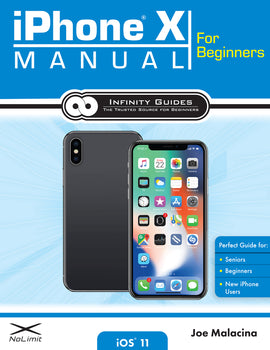
{"id":97717321754,"title":"iPhone X Manual for Beginners","handle":"iphone-manual-for-beginners","description":"\u003ch5\u003eDescription\u003c\/h5\u003e\n\u003cp\u003e\u003cstrong\u003eAuthor:\u003c\/strong\u003e Joe Malacina \u003cbr\u003e\u003cstrong\u003ePages:\u003c\/strong\u003e 144 \u003cbr\u003e\u003cbr\u003e \u003cstrong\u003eDescription\u003c\/strong\u003e\u003cbr\u003e\u003ci\u003eThe iPhone X Manual for Beginners\u003c\/i\u003e\u003cspan\u003e \u003c\/span\u003eis the complete guide to using the iPhone X. This book was made with the beginner in mind, and is great for seniors and first-time iPhone users. The book covers the iPhone X only.\u003c\/p\u003e\n\u003cp\u003eThis book teaches you the building blocks of using the iPhone X. It starts out by going over the physical properties of the device, followed by defining some key terms that every iPhone X user needs to know. Then the book goes into instruction mode, teaching you all the basics including: creating an Apple ID (which is extremely important), creating a contact list, sending and receiving text messages, placing and answering phone calls, surfing the internet, setting up your e-mail, personalizing your iPhone X, securing your iPhone X, downloading apps and using the App Store, tips and tricks, and much more.\u003c\/p\u003e\n\u003cp\u003eThis will be the only guide for your iPhone X that you will ever need. You can read it in one sitting, and keep it handy as a reference manual. By the time you are finished with it, you will have a complete intuitive understanding of the iPhone. You will never have to struggle with your iPhone X again, and you can start feeling confident using it.\u003c\/p\u003e\n\u003ch3\u003eHIGHLIGHTS OF THE BOOK:\u003c\/h3\u003e\n\u003chr\u003e\n\u003cul class=\"style1\"\u003e\n\u003cli\u003eClear, step by step instructions on how to do the most common and useful tasks on the iPhone X\u003c\/li\u003e\n\u003cli\u003eHigh quality, full-color illustrations of exactly what your iPhone's screen will look like for an easy learning experience.\u003c\/li\u003e\n\u003cli\u003eTips \u0026amp; Tricks to help you get the most benefit out of using your iPhone X\u003c\/li\u003e\n\u003cli\u003eA detailed Table of Contents so you can use the book as a reference manual as needed\u003c\/li\u003e\n\u003cli\u003eAppendices offering recommendations on apps, shortcuts to quick iPhone X functions, and Siri examples.\u003c\/li\u003e\n\u003cli\u003eVery detailed instructions on how to setup your extremely important Apple ID, and how to use your Apple ID effectively\u003c\/li\u003e\n\u003c\/ul\u003e\n\u003cp\u003eThe book covers all the basics and more, from a beginner's perspective, including:\u003c\/p\u003e\n\u003cul class=\"style1\"\u003e\n\u003cli\u003eSetting up your iPhone X\u003c\/li\u003e\n\u003cli\u003eCreating your Apple ID\u003c\/li\u003e\n\u003cli\u003ePhysical Layout of iPhone X\u003c\/li\u003e\n\u003cli\u003ePerforming the important \"home swipe\"\u003c\/li\u003e\n\u003cli\u003eMaking and Receiving Calls\u003c\/li\u003e\n\u003cli\u003eiPhone X Contact List\u003c\/li\u003e\n\u003cli\u003eText Messaging\u003c\/li\u003e\n\u003cli\u003eNavigating your iPhone X\u003c\/li\u003e\n\u003cli\u003eConnecting to Wi-Fi and Internet\u003c\/li\u003e\n\u003cli\u003eSetting up Voicemail\u003c\/li\u003e\n\u003cli\u003eUsing E-mail\u003c\/li\u003e\n\u003cli\u003eBrowsing the Web\u003c\/li\u003e\n\u003cli\u003eUsing your Camera\u003c\/li\u003e\n\u003cli\u003ePhotos and Videos\u003c\/li\u003e\n\u003cli\u003eSecurity on your iPhone X including Face ID\u003c\/li\u003e\n\u003cli\u003ePersonalizing your iPhone X\u003c\/li\u003e\n\u003cli\u003eOrganizing your iPhone X\u003c\/li\u003e\n\u003cli\u003eUsing and Downloading Apps\u003c\/li\u003e\n\u003cli\u003eiPhone Notifications\u003c\/li\u003e\n\u003cli\u003eSiri\u003c\/li\u003e\n\u003cli\u003eBacking up your iPhone X's Data\u003c\/li\u003e\n\u003cli\u003eUpdating your iPhone's Software\u003c\/li\u003e\n\u003cli\u003eTips, Tricks, and much more\u003c\/li\u003e\n\u003c\/ul\u003e","published_at":"2017-09-12T23:05:56-05:00","created_at":"2017-09-12T23:11:08-05:00","vendor":"Infinity Guides","type":"Books","tags":["books","iphone","iphone x"],"price":1995,"price_min":1995,"price_max":1995,"available":true,"price_varies":false,"compare_at_price":2495,"compare_at_price_min":2495,"compare_at_price_max":2495,"compare_at_price_varies":false,"variants":[{"id":1192178712602,"title":"Default Title","option1":"Default Title","option2":null,"option3":null,"sku":"IG037","requires_shipping":true,"taxable":false,"featured_image":null,"available":true,"name":"iPhone X Manual for Beginners","public_title":null,"options":["Default Title"],"price":1995,"weight":425,"compare_at_price":2495,"inventory_quantity":-19,"inventory_management":null,"inventory_policy":"deny","barcode":"9780998919676","requires_selling_plan":false,"selling_plan_allocations":[],"quantity_rule":{"min":1,"max":null,"increment":1}}],"images":["\/\/infinityguides.com\/cdn\/shop\/products\/iphonexbook.jpg?v=1515394426"],"featured_image":"\/\/infinityguides.com\/cdn\/shop\/products\/iphonexbook.jpg?v=1515394426","options":["Title"],"media":[{"alt":null,"id":463124856963,"position":1,"preview_image":{"aspect_ratio":0.771,"height":1653,"width":1275,"src":"\/\/infinityguides.com\/cdn\/shop\/products\/iphonexbook.jpg?v=1515394426"},"aspect_ratio":0.771,"height":1653,"media_type":"image","src":"\/\/infinityguides.com\/cdn\/shop\/products\/iphonexbook.jpg?v=1515394426","width":1275}],"requires_selling_plan":false,"selling_plan_groups":[],"content":"\u003ch5\u003eDescription\u003c\/h5\u003e\n\u003cp\u003e\u003cstrong\u003eAuthor:\u003c\/strong\u003e Joe Malacina \u003cbr\u003e\u003cstrong\u003ePages:\u003c\/strong\u003e 144 \u003cbr\u003e\u003cbr\u003e \u003cstrong\u003eDescription\u003c\/strong\u003e\u003cbr\u003e\u003ci\u003eThe iPhone X Manual for Beginners\u003c\/i\u003e\u003cspan\u003e \u003c\/span\u003eis the complete guide to using the iPhone X. This book was made with the beginner in mind, and is great for seniors and first-time iPhone users. The book covers the iPhone X only.\u003c\/p\u003e\n\u003cp\u003eThis book teaches you the building blocks of using the iPhone X. It starts out by going over the physical properties of the device, followed by defining some key terms that every iPhone X user needs to know. Then the book goes into instruction mode, teaching you all the basics including: creating an Apple ID (which is extremely important), creating a contact list, sending and receiving text messages, placing and answering phone calls, surfing the internet, setting up your e-mail, personalizing your iPhone X, securing your iPhone X, downloading apps and using the App Store, tips and tricks, and much more.\u003c\/p\u003e\n\u003cp\u003eThis will be the only guide for your iPhone X that you will ever need. You can read it in one sitting, and keep it handy as a reference manual. By the time you are finished with it, you will have a complete intuitive understanding of the iPhone. You will never have to struggle with your iPhone X again, and you can start feeling confident using it.\u003c\/p\u003e\n\u003ch3\u003eHIGHLIGHTS OF THE BOOK:\u003c\/h3\u003e\n\u003chr\u003e\n\u003cul class=\"style1\"\u003e\n\u003cli\u003eClear, step by step instructions on how to do the most common and useful tasks on the iPhone X\u003c\/li\u003e\n\u003cli\u003eHigh quality, full-color illustrations of exactly what your iPhone's screen will look like for an easy learning experience.\u003c\/li\u003e\n\u003cli\u003eTips \u0026amp; Tricks to help you get the most benefit out of using your iPhone X\u003c\/li\u003e\n\u003cli\u003eA detailed Table of Contents so you can use the book as a reference manual as needed\u003c\/li\u003e\n\u003cli\u003eAppendices offering recommendations on apps, shortcuts to quick iPhone X functions, and Siri examples.\u003c\/li\u003e\n\u003cli\u003eVery detailed instructions on how to setup your extremely important Apple ID, and how to use your Apple ID effectively\u003c\/li\u003e\n\u003c\/ul\u003e\n\u003cp\u003eThe book covers all the basics and more, from a beginner's perspective, including:\u003c\/p\u003e\n\u003cul class=\"style1\"\u003e\n\u003cli\u003eSetting up your iPhone X\u003c\/li\u003e\n\u003cli\u003eCreating your Apple ID\u003c\/li\u003e\n\u003cli\u003ePhysical Layout of iPhone X\u003c\/li\u003e\n\u003cli\u003ePerforming the important \"home swipe\"\u003c\/li\u003e\n\u003cli\u003eMaking and Receiving Calls\u003c\/li\u003e\n\u003cli\u003eiPhone X Contact List\u003c\/li\u003e\n\u003cli\u003eText Messaging\u003c\/li\u003e\n\u003cli\u003eNavigating your iPhone X\u003c\/li\u003e\n\u003cli\u003eConnecting to Wi-Fi and Internet\u003c\/li\u003e\n\u003cli\u003eSetting up Voicemail\u003c\/li\u003e\n\u003cli\u003eUsing E-mail\u003c\/li\u003e\n\u003cli\u003eBrowsing the Web\u003c\/li\u003e\n\u003cli\u003eUsing your Camera\u003c\/li\u003e\n\u003cli\u003ePhotos and Videos\u003c\/li\u003e\n\u003cli\u003eSecurity on your iPhone X including Face ID\u003c\/li\u003e\n\u003cli\u003ePersonalizing your iPhone X\u003c\/li\u003e\n\u003cli\u003eOrganizing your iPhone X\u003c\/li\u003e\n\u003cli\u003eUsing and Downloading Apps\u003c\/li\u003e\n\u003cli\u003eiPhone Notifications\u003c\/li\u003e\n\u003cli\u003eSiri\u003c\/li\u003e\n\u003cli\u003eBacking up your iPhone X's Data\u003c\/li\u003e\n\u003cli\u003eUpdating your iPhone's Software\u003c\/li\u003e\n\u003cli\u003eTips, Tricks, and much more\u003c\/li\u003e\n\u003c\/ul\u003e"}
You may also like:
iPhone X Manual for Beginners
$24.95
$19.95
Description Author: Joe Malacina Pages: 144 DescriptionThe iPhone X Manual for Beginners is the complete guide to using the iPhone X....
{"id":1432959057975,"title":"Kindle Manual for Beginners","handle":"kindle-manual-for-beginners","description":"\u003ch5\u003eDescription\u003c\/h5\u003e\n\u003cp\u003e\u003cstrong\u003eAuthor:\u003c\/strong\u003e Joe Malacina \u003cbr\u003e\u003cstrong\u003ePages:\u003c\/strong\u003e 126 \u003cbr\u003e\u003cbr\u003e \u003cstrong\u003eDescription\u003c\/strong\u003e\u003cbr\u003e\u003ci\u003eThe Kindle Manual for Beginners\u003c\/i\u003e\u003cspan\u003e \u003c\/span\u003eis the complete guide to using the Kindle. This book was made with the beginner in mind, and is great for first-time Kindle users. The book is suitable for the Kindle, Kindle Paperwhite, and Kindle Oasis. This book teaches you everything you need to know on using the Kindle. It starts out by going over the physical properties of the device, followed by defining some key terms that every Kindle user needs to know. Then the book goes into instruction mode, teaching you all the basics including: creating and using your Amazon account on your Kindle, finding and downloading books from the Kindle Store, reading books on your Kindle, using Goodreads, getting free books, connecting your Kindle to social media, personalizing your Kindle, securing your Kindle, tips and tricks, and much more.\u003c\/p\u003e\n\u003cp\u003eThis will be the only guide for your Kindle that you will ever need. You can read it in one sitting, and keep it handy as a reference manual. By the time you are finished with it, you will be a pro at using your Kindle. You will never have to struggle with your Kindle again, and will be confident using the device.\u003c\/p\u003e\n\u003cp\u003e \u003c\/p\u003e\n\u003ch3\u003eHIGHLIGHTS OF THE BOOK:\u003c\/h3\u003e\n\u003chr\u003e\n\u003cul class=\"style1\"\u003e\n\u003cli\u003eClear, step by step instructions on how to do the most common and useful tasks on the Kindle\u003c\/li\u003e\n\u003cli\u003eHigh quality illustrations of exactly what your Kindle's screen will look like for an easy learning experience.\u003c\/li\u003e\n\u003cli\u003eTips \u0026amp; Tricks to help you get the most benefit out of using your Kindle\u003c\/li\u003e\n\u003cli\u003eA detailed Table of Contents so you can use the book as a reference manual as needed\u003c\/li\u003e\n\u003cli\u003eAppendices offering book recommendations and best practice suggestions to keep your Kindle in top operating condition\u003c\/li\u003e\n\u003cli\u003eExamples and instructions on how to get FREE books on your Kindle\u003c\/li\u003e\n\u003c\/ul\u003e\n\u003cp\u003eThe book covers all the basics and more, from a beginner's perspective, including:\u003c\/p\u003e\n\u003cul class=\"style1\"\u003e\n\u003cli\u003eSetting up your Kindle with optimal settings\u003c\/li\u003e\n\u003cli\u003ePhysical Layout of Kindle\u003c\/li\u003e\n\u003cli\u003eNavigating your Kindle\u003c\/li\u003e\n\u003cli\u003eUtilizing the Kindle Toolbar\u003c\/li\u003e\n\u003cli\u003eUsing your Amazon Account with your Kindle\u003c\/li\u003e\n\u003cli\u003eBrowsing the Kindle Store\u003c\/li\u003e\n\u003cli\u003eConnecting to Wi-Fi and Internet\u003c\/li\u003e\n\u003cli\u003eDownloading Books\u003c\/li\u003e\n\u003cli\u003eExploring Books\u003c\/li\u003e\n\u003cli\u003eKindle Unlimited\u003c\/li\u003e\n\u003cli\u003eRenting Books from the Kindle Library\u003c\/li\u003e\n\u003cli\u003eAmazon Prime Kindle Benefits\u003c\/li\u003e\n\u003cli\u003eReading Books on your Kindle\u003c\/li\u003e\n\u003cli\u003ePersonalizing your Kindle\u003c\/li\u003e\n\u003cli\u003eOrganizing your Kindle\u003c\/li\u003e\n\u003cli\u003eUsing the Dictionary and other Kindle Tools\u003c\/li\u003e\n\u003cli\u003eGoodreads on Kindle\u003c\/li\u003e\n\u003cli\u003eImporting Books from other Devices\u003c\/li\u003e\n\u003cli\u003eCreating and Using Reading Lists\u003c\/li\u003e\n\u003cli\u003eAudiobooks \u0026amp; Audible\u003c\/li\u003e\n\u003cli\u003eProtecting your Kindle\u003c\/li\u003e\n\u003cli\u003eTips, Tricks, and much more\u003c\/li\u003e\n\u003c\/ul\u003e","published_at":"2017-09-12T23:05:56-05:00","created_at":"2018-11-23T20:57:13-06:00","vendor":"Infinity Guides","type":"Books","tags":["books","kindle"],"price":1795,"price_min":1795,"price_max":1795,"available":true,"price_varies":false,"compare_at_price":1995,"compare_at_price_min":1995,"compare_at_price_max":1995,"compare_at_price_varies":false,"variants":[{"id":12852218134583,"title":"Default Title","option1":"Default Title","option2":null,"option3":null,"sku":"IG045","requires_shipping":true,"taxable":false,"featured_image":null,"available":true,"name":"Kindle Manual for Beginners","public_title":null,"options":["Default Title"],"price":1795,"weight":283,"compare_at_price":1995,"inventory_quantity":-38,"inventory_management":null,"inventory_policy":"deny","barcode":"9781732434622","requires_selling_plan":false,"selling_plan_allocations":[],"quantity_rule":{"min":1,"max":null,"increment":1}}],"images":["\/\/infinityguides.com\/cdn\/shop\/products\/Front_High_Quality.jpg?v=1543028355"],"featured_image":"\/\/infinityguides.com\/cdn\/shop\/products\/Front_High_Quality.jpg?v=1543028355","options":["Title"],"media":[{"alt":null,"id":1333339062403,"position":1,"preview_image":{"aspect_ratio":0.656,"height":2719,"width":1784,"src":"\/\/infinityguides.com\/cdn\/shop\/products\/Front_High_Quality.jpg?v=1543028355"},"aspect_ratio":0.656,"height":2719,"media_type":"image","src":"\/\/infinityguides.com\/cdn\/shop\/products\/Front_High_Quality.jpg?v=1543028355","width":1784}],"requires_selling_plan":false,"selling_plan_groups":[],"content":"\u003ch5\u003eDescription\u003c\/h5\u003e\n\u003cp\u003e\u003cstrong\u003eAuthor:\u003c\/strong\u003e Joe Malacina \u003cbr\u003e\u003cstrong\u003ePages:\u003c\/strong\u003e 126 \u003cbr\u003e\u003cbr\u003e \u003cstrong\u003eDescription\u003c\/strong\u003e\u003cbr\u003e\u003ci\u003eThe Kindle Manual for Beginners\u003c\/i\u003e\u003cspan\u003e \u003c\/span\u003eis the complete guide to using the Kindle. This book was made with the beginner in mind, and is great for first-time Kindle users. The book is suitable for the Kindle, Kindle Paperwhite, and Kindle Oasis. This book teaches you everything you need to know on using the Kindle. It starts out by going over the physical properties of the device, followed by defining some key terms that every Kindle user needs to know. Then the book goes into instruction mode, teaching you all the basics including: creating and using your Amazon account on your Kindle, finding and downloading books from the Kindle Store, reading books on your Kindle, using Goodreads, getting free books, connecting your Kindle to social media, personalizing your Kindle, securing your Kindle, tips and tricks, and much more.\u003c\/p\u003e\n\u003cp\u003eThis will be the only guide for your Kindle that you will ever need. You can read it in one sitting, and keep it handy as a reference manual. By the time you are finished with it, you will be a pro at using your Kindle. You will never have to struggle with your Kindle again, and will be confident using the device.\u003c\/p\u003e\n\u003cp\u003e \u003c\/p\u003e\n\u003ch3\u003eHIGHLIGHTS OF THE BOOK:\u003c\/h3\u003e\n\u003chr\u003e\n\u003cul class=\"style1\"\u003e\n\u003cli\u003eClear, step by step instructions on how to do the most common and useful tasks on the Kindle\u003c\/li\u003e\n\u003cli\u003eHigh quality illustrations of exactly what your Kindle's screen will look like for an easy learning experience.\u003c\/li\u003e\n\u003cli\u003eTips \u0026amp; Tricks to help you get the most benefit out of using your Kindle\u003c\/li\u003e\n\u003cli\u003eA detailed Table of Contents so you can use the book as a reference manual as needed\u003c\/li\u003e\n\u003cli\u003eAppendices offering book recommendations and best practice suggestions to keep your Kindle in top operating condition\u003c\/li\u003e\n\u003cli\u003eExamples and instructions on how to get FREE books on your Kindle\u003c\/li\u003e\n\u003c\/ul\u003e\n\u003cp\u003eThe book covers all the basics and more, from a beginner's perspective, including:\u003c\/p\u003e\n\u003cul class=\"style1\"\u003e\n\u003cli\u003eSetting up your Kindle with optimal settings\u003c\/li\u003e\n\u003cli\u003ePhysical Layout of Kindle\u003c\/li\u003e\n\u003cli\u003eNavigating your Kindle\u003c\/li\u003e\n\u003cli\u003eUtilizing the Kindle Toolbar\u003c\/li\u003e\n\u003cli\u003eUsing your Amazon Account with your Kindle\u003c\/li\u003e\n\u003cli\u003eBrowsing the Kindle Store\u003c\/li\u003e\n\u003cli\u003eConnecting to Wi-Fi and Internet\u003c\/li\u003e\n\u003cli\u003eDownloading Books\u003c\/li\u003e\n\u003cli\u003eExploring Books\u003c\/li\u003e\n\u003cli\u003eKindle Unlimited\u003c\/li\u003e\n\u003cli\u003eRenting Books from the Kindle Library\u003c\/li\u003e\n\u003cli\u003eAmazon Prime Kindle Benefits\u003c\/li\u003e\n\u003cli\u003eReading Books on your Kindle\u003c\/li\u003e\n\u003cli\u003ePersonalizing your Kindle\u003c\/li\u003e\n\u003cli\u003eOrganizing your Kindle\u003c\/li\u003e\n\u003cli\u003eUsing the Dictionary and other Kindle Tools\u003c\/li\u003e\n\u003cli\u003eGoodreads on Kindle\u003c\/li\u003e\n\u003cli\u003eImporting Books from other Devices\u003c\/li\u003e\n\u003cli\u003eCreating and Using Reading Lists\u003c\/li\u003e\n\u003cli\u003eAudiobooks \u0026amp; Audible\u003c\/li\u003e\n\u003cli\u003eProtecting your Kindle\u003c\/li\u003e\n\u003cli\u003eTips, Tricks, and much more\u003c\/li\u003e\n\u003c\/ul\u003e"}
You may also like:
Kindle Manual for Beginners
$19.95
$17.95
Description Author: Joe Malacina Pages: 126 DescriptionThe Kindle Manual for Beginners is the complete guide to using the Kindle. This book...